How to Find a Car's Manufacture Date From the VIN
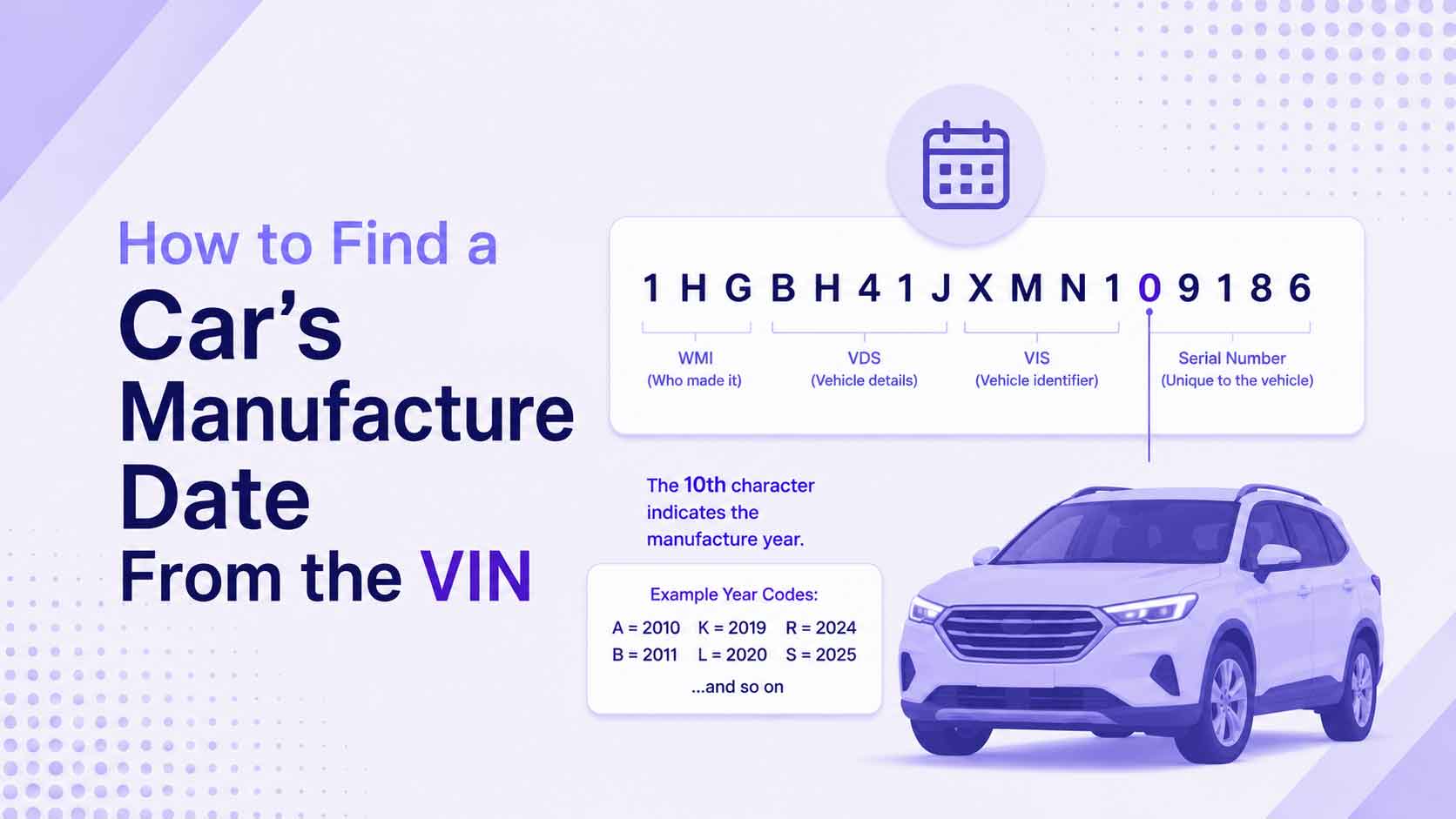
People often want a single answer from a VIN: when was this car made? The VIN gets you most of the way there in one character, but there is a catch worth understanding. The VIN encodes the model year, not the exact day the car was built, and those two things are not always the same. Here is how to read the year from a VIN and how to find the true manufacture date when you need it.
The Model Year Is Position 10
The tenth character of a VIN is the model year. Count ten characters from the left and you land on a single letter or number that stands for the year the vehicle was marketed as.
| Position | What it holds |
|---|---|
| 1-3 | Manufacturer and country |
| 4-8 | Model, body, engine |
| 9 | Check digit |
| 10 | Model year |
| 11 | Plant |
| 12-17 | Serial number |
The code uses letters and numbers but skips I, O, Q, U, Z, and the number 0, because those look too much like other characters. Recent codes:
| Code | Year | Code | Year |
|---|---|---|---|
| H | 2017 | N | 2022 |
| J | 2018 | P | 2023 |
| K | 2019 | R | 2024 |
| L | 2020 | S | 2025 |
| M | 2021 | T | 2026 |
For the complete list from 1980 forward, see our VIN model year codes chart.
The 30-Year Trick
The year codes repeat on a 30-year cycle, so the same letter can mean 1995 or 2025. One rule settles it. Look at position seven: if it is a number, the car is from 1980 to 2009; if it is a letter, the car is 2010 or newer. That single check tells a decoder which cycle the year code belongs to, so an “S” reads as 1995 or 2025 correctly. Our VIN Decoder applies this automatically.
Model Year Is Not the Build Date
This is the part that trips people up. The model year in the VIN is a marketing designation, not the calendar date the car was assembled. Automakers start building next year’s models partway through the current calendar year. A car with model-year code T (2026) may have actually been built in the fall of 2025.
So the VIN answers “what model year is this?” precisely. It does not, on its own, tell you the month the car came together. For a rough age, the model year is fine. For the exact manufacture date, you need one more source.
Where the Real Manufacture Date Lives
The true build date is printed on the vehicle, not encoded in the VIN. Look at the certification label on the driver’s door jamb or door edge. It lists the actual production date, usually as a month and year, along with the VIN, tire, and weight information.
To find it:
- Open the driver’s door and look at the jamb or the door edge.
- Find the sticker that repeats the VIN.
- Read the “Date of Manufacture” or “DATE” field, shown as MM/YY.
That label is the manufacturer’s official statement of when the car was built. If you are cross-checking a VIN against a title or a listing, this is the date that matters. Not sure where to look? Our guide on where to find your VIN shows every location on the vehicle, and the door label sits right next to the VIN.
Confirm the VIN Before You Trust the Year
A year code is only as trustworthy as the VIN around it. Before you rely on position ten, run the number through our VIN Validator to confirm the check digit holds. A valid VIN means the year code is genuine. A failed one means a character is wrong somewhere, and the year could be off too.
Put It Together
For a quick age, read position ten and match it to the year chart. To resolve the decade, glance at position seven. For the exact build month, read the door-jamb label. Between the VIN and that sticker, you can go from “roughly a 2020” to “built in September 2019” with confidence.
Decode Your VIN Now
Skip the counting and let a tool do it. Paste any VIN into the VIN Decoder to see the model year, make, and country at once, or use the VIN Breakdown Visualizer to see exactly where position ten sits. Then check the door label for the real manufacture date.
Keep Reading
- VIN Model Year Codes: The Full Chart (1980-2031)
- How to Read a VIN: What All 17 Characters Mean
- Where to Find Your VIN: Every Location on Your Vehicle
- What a VIN Tells You: Decoding Make, Model, and Year
Free VIN tools: VIN Generator · VIN Decoder · VIN Validator · Bulk Generator · QR Code Generator · Visualizer