How to Read a Car's Window Sticker (and Find It by VIN)
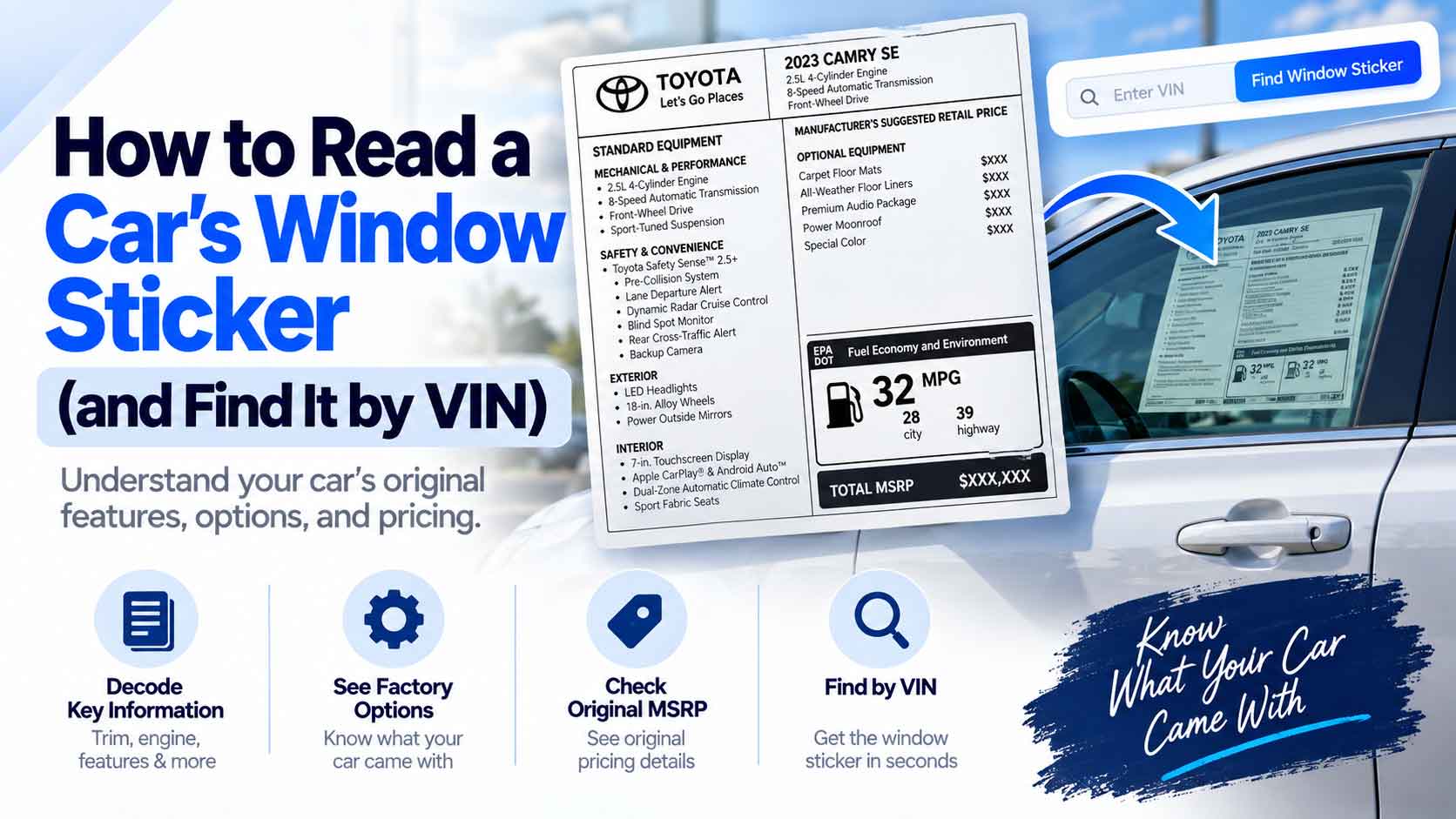
The window sticker is the single most useful piece of paper that ever came with a car. It lists the trim, the engine, every factory option, and the original price, all on one page. New cars are required to have one by law. The problem comes later: used cars almost never still have theirs. The good news is that the sticker is tied to the VIN, so you can often pull it back up. Here is how to read one and how to find it by VIN.
What a Window Sticker Is
The official name is the Monroney sticker, after the senator who made it law in 1958. Every new car sold in the United States must display it, and it exists to stop dealers from hiding what a car is and what it costs. It is the factory’s own description of that exact vehicle.
Because it is generated per vehicle, the window sticker is tied to the VIN. That link is what lets you look one up years later, long after the paper is gone.
What Each Section Shows
A window sticker packs a lot into one page. The main parts:
| Section | What it tells you |
|---|---|
| Vehicle info | Make, model, trim, model year, and the VIN |
| Standard equipment | What every version of this model includes |
| Optional equipment | The extras this specific car was ordered with, each priced |
| Fuel economy | The EPA city, highway, and combined MPG ratings |
| Pricing | Base price, option prices, destination charge, and total MSRP |
| Warranty | The factory coverage the car came with |
| Origin | Where the car and its major parts were made |
The optional-equipment block is usually the part people care about most. It is the definitive list of what the car left the factory with, from the sound system to the tow package.
Why the Window Sticker Matters for a Used Car
When you are buying used, the window sticker settles arguments. A seller says the car has heated seats and adaptive cruise. The sticker either backs that up or it does not. It confirms the trim level, which drives the value, and it shows the original MSRP so you know what the car cost new.
It also reveals options that are easy to miss on a test drive, like a factory tow package or a premium audio system, which can matter for both price and use.
How to Find a Window Sticker by VIN
The original paper is usually long gone, but you can often recreate the sticker from the VIN:
- Get the VIN. It is on the dashboard, the driver’s door jamb, and the title. See where to find your VIN.
- Confirm the VIN is real with our VIN Validator so you look up the right car.
- Try the manufacturer’s site. Several automakers let you pull the original window sticker by VIN, sometimes free for a limited number of years after the build.
- Use a window-sticker lookup service. A number of paid services reproduce the Monroney label from the VIN when the maker does not offer it.
- Ask the dealer. A franchised dealer for that brand can often print the original sticker from their system.
Not every VIN returns a sticker, especially for older or imported cars, but for most recent US-market vehicles it works.
When You Cannot Get the Sticker
If no sticker turns up, you can still recover most of what it would tell you. Our VIN Decoder reads the real make, model, trim, and engine straight from the VIN using the official NHTSA database, which covers the core of what the sticker lists. For the finer option-by-option detail, see our guide on how to check a car’s options and features by VIN.
Read the Numbers, Not Just the Words
One habit worth keeping: match the sticker against the car. The trim on the sticker should match the badges, the listed options should actually be in the car, and the VIN on the sticker must match the VIN on the dash and title. A mismatch is a reason to slow down and ask questions before you buy.
Start With the VIN
The window sticker is the factory’s honest description of a car, and the VIN is the key that brings it back. Confirm the VIN with our VIN Validator, decode it with the VIN Decoder to see the trim and engine, then chase down the full sticker through the maker or a lookup service. It is the fastest way to know exactly what you are buying.
Keep Reading
- How to Check a Car’s Options and Features by VIN
- What a VIN Tells You: Decoding Make, Model, and Year
- Where to Find Your VIN: Every Location on Your Vehicle
- How to Tell What Engine a Car Has From the VIN
Free VIN tools: VIN Generator · VIN Decoder · VIN Validator · Bulk Generator · QR Code Generator · Barcode Generator · Visualizer