VIN Labels for Key Tags and Window Stickers: What Fits
A car lot, a workshop or a fleet has the same small problem every day: the VIN is a long string, and it has to live on a key tag, a dash sticker and a folder, in a size people can still scan.
The code you choose matters less than the size you give it. A VIN barcode that looks fine on screen can turn to mush on a small tag. This guide shows what fits where, using the real numbers from our VIN Label Maker.
Two codes, two very different lengths
A VIN QR code is 33 squares wide, counting its blank border. A VIN Code 39 barcode is about 324 bar widths long, counting the blank ends. Same VIN, roughly ten times the length.
That one fact decides most label choices. At the same print quality, the QR code is small and square. The barcode is long and thin. Our size test also found that a QR code reads at any angle, while a barcode only reads when it is close to straight.
What fits on each label
These sizes come straight from the label maker for the sample VIN 4T1B61BKXNU123456, a synthetic number with a valid check digit. “Dots” means printer dots per square or bar. We treat 2 dots as the safe minimum.
| Where it goes | Label | Printer | Code | Size you get |
|---|---|---|---|---|
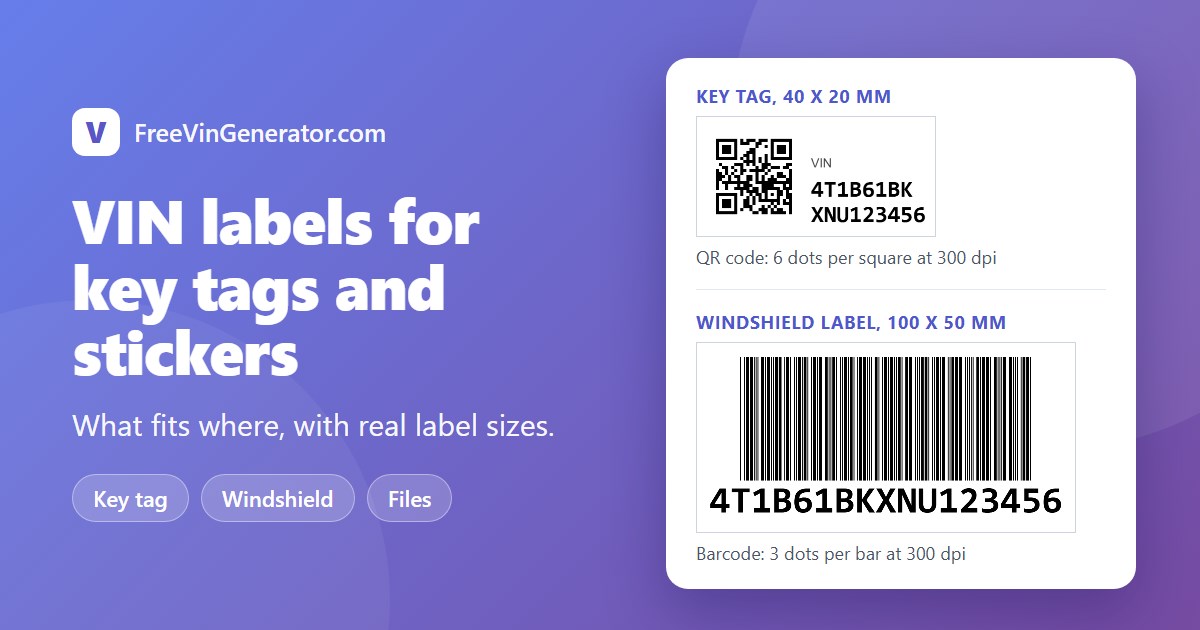
| Key tag | 40 x 20 mm | 300 dpi | QR code | 6 dots per square, 16.8 mm wide |
| Key tag | 40 x 20 mm | 600 dpi | Barcode | 2 dots per bar, 27.4 mm long |
| Small file or box label | 50 x 25 mm | 300 dpi | QR code | 8 dots per square, 22.4 mm wide |
| Windshield or dash label | 100 x 50 mm | 300 dpi | QR code | 17 dots per square, 47.5 mm wide |
| Windshield or dash label | 100 x 50 mm | 300 dpi | Barcode | 3 dots per bar, 82.3 mm long |
| Large window label | 150 x 75 mm | 300 dpi | QR code and barcode | 26 dots per square, plus 2 dots per bar |
The key tag is the tight one. At 300 dpi a barcode on a 40 mm tag gets bars only 1 dot wide, and the tool warns you, because 2 dots needs a label about 58 mm wide. A QR code fits with room to spare.
Key tags
Use a QR code plus the VIN in plain text. The tag is small, so the QR code takes most of the height and the VIN wraps into two short lines beside it.
Two habits help. First, keep the border. The blank margin is part of the code, and a tag cut too tight can stop scanning. Second, put the VIN in readable text anyway. Phones fail, labels get scuffed, and a person can always type 17 characters.
Windshield and dash labels
A 100 x 50 mm label has room for either code. Pick the barcode if the people scanning use a handheld reader that expects one. Pick the QR code if they use phones. At 300 dpi the barcode gets 3 dots per bar, which is above our 2-dot minimum, and the QR code gets 17 dots per square, which is very comfortable.
Keep the barcode level when you stick it down. A barcode is read along a line across its bars, so tilt matters far more than it does for a QR code. In our test, short bars stopped reading at 8 degrees of tilt, while taller bars survived more.
File and folder labels
For paper files you can go bigger and use both. On a 150 x 75 mm label at 300 dpi the tool fits a QR code and a barcode with the VIN text. At 600 dpi a 100 x 50 mm label can hold both too. If the tool says there is no room for both, it falls back to the QR code and tells you why.
A simple workflow
- Check the VIN first. A typo printed on 50 labels is 50 wasted labels. Run it through the VIN Validator, or paste a whole list into the Bulk VIN Validator.
- Make one label. Choose the size, the contents and your printer quality. The tool warns you in plain words if the code will be too small.
- Print it at 100%. If the print dialog shrinks the page to fit, the squares and bars shrink too.
- Scan the printed label with the exact phone or reader your team will use. Our checks use software readers, so your own device is the real test.
- Then print the batch. The label maker makes one label at a time for now.
What a label like this is not
A label from this tool is for your own tracking: inventory, keys, workshop jobs and paperwork. It does not replace the VIN plate the manufacturer fits to the vehicle, and it should never cover that plate or any notice you are required to display. If you are unsure what a window label must contain where you work, check your local rules.